How it Works

From setting up a group to settling up - here's exactly how it works.

Step 1

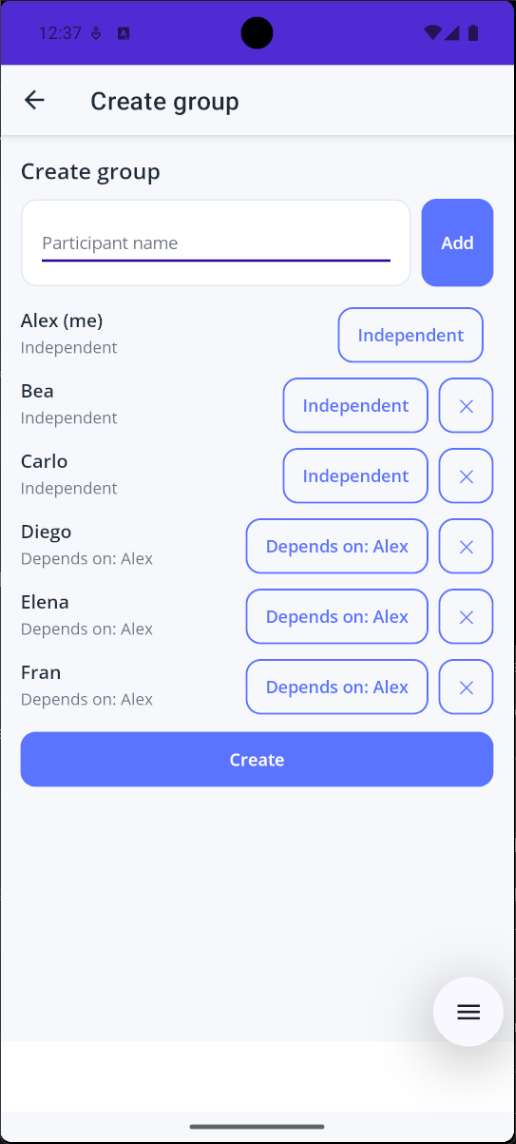
Create group

Start by naming your group and adding the people involved.

  • Link dependents to the right adult
  • Each group tracks its own expenses
  • No account needed to start
Create group - add people and define who depends on whom
Step 2

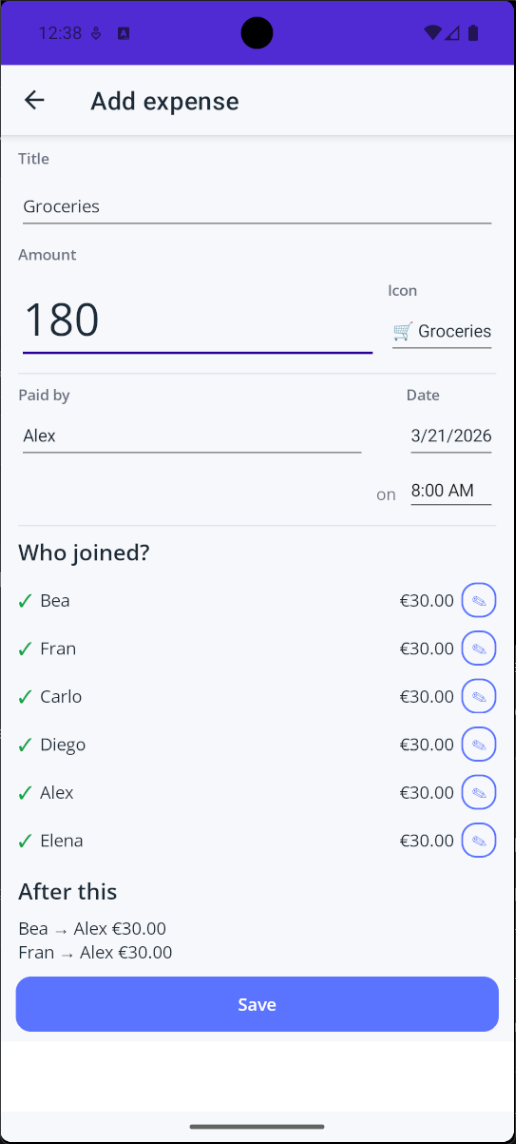
Add expenses

Log each shared payment - who paid, what for, and who it covers.

  • Split equally, by amount, percentage, or weight
  • Instant impact preview before saving
  • Any member can be the payer
Add expense - title, amount, participants, and instant impact preview
Step 3

Check balances

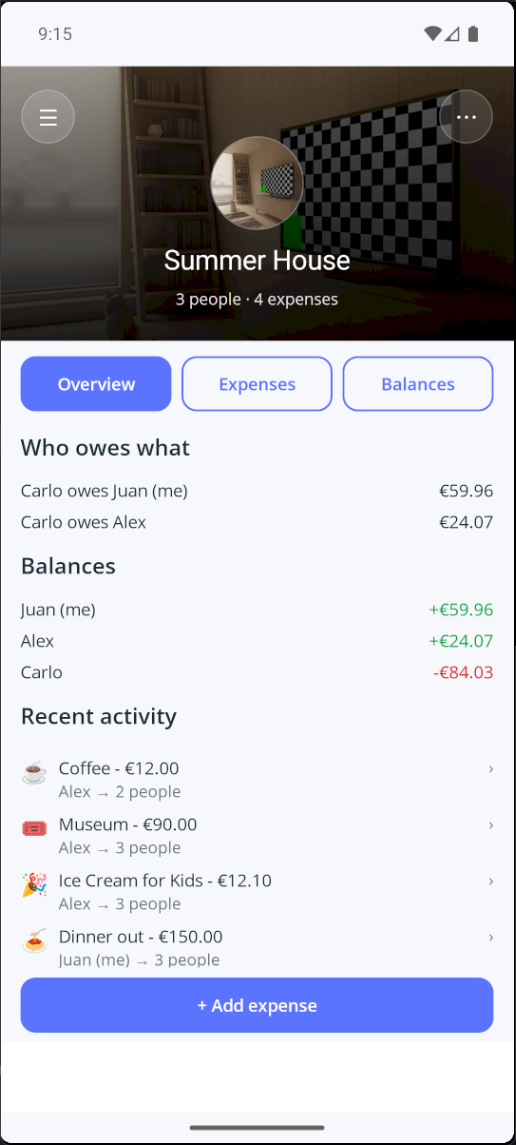
See everyone's current balance at a glance - no math required.

  • Per-person balance always current
  • Recent activity at the top
  • No mental math required
Overview - balances and recent activity at a glance
Step 4

Expense list

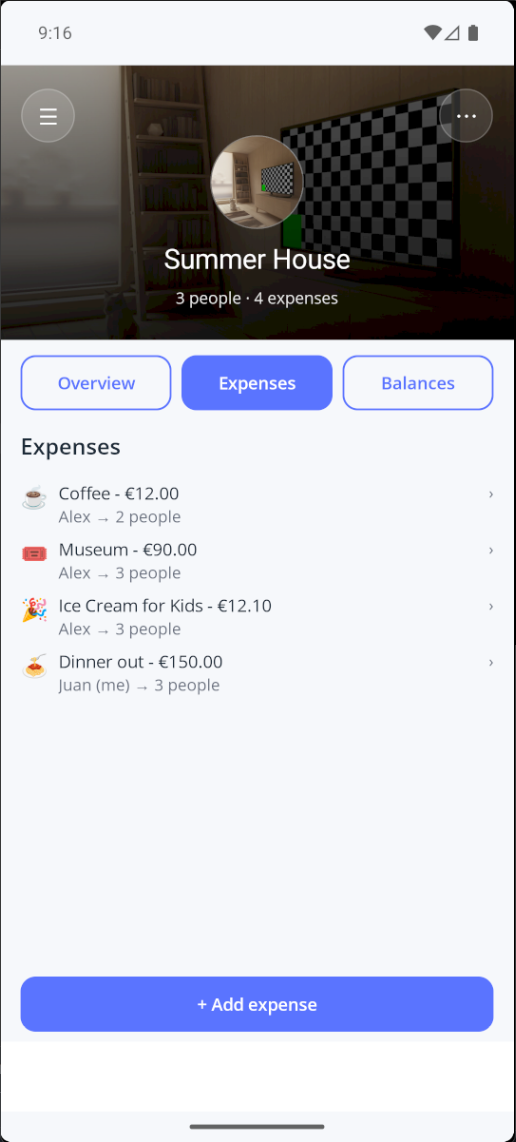
Every expense in one place, from the first to the latest.

  • Full record from the first expense
  • Edit or delete past entries
  • Balances recalculate instantly
Expenses - every shared expense in one list
Step 5

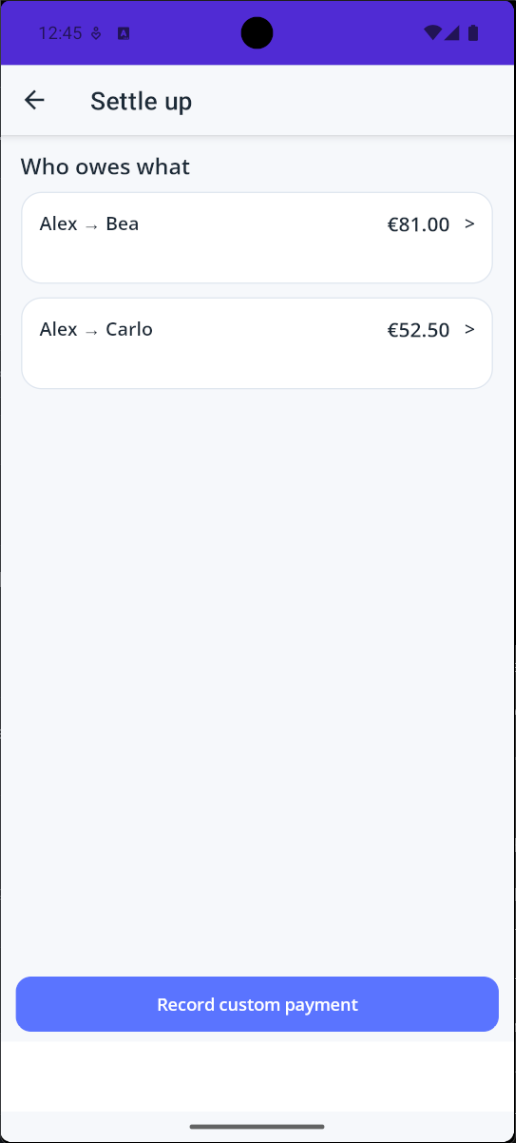
Settle up

LuSplit works out the fewest transfers to bring all balances to zero.

  • Fewest transfers possible
  • No money moves through the app
  • A suggestion to act on - no money moves in the app
Settle up - the minimum transfers needed to clear debts
Step 6

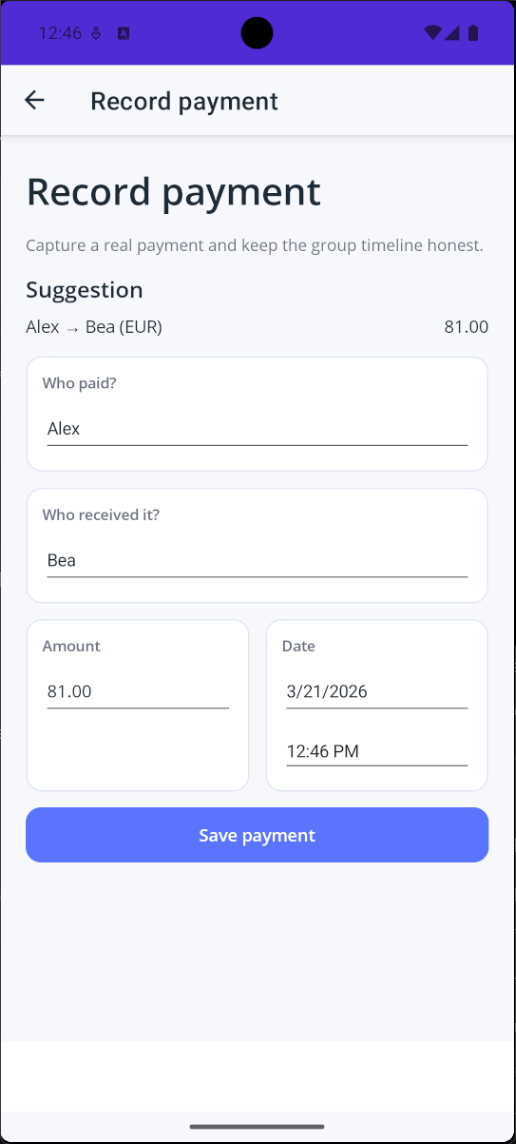
Record payments

Mark each payment done to keep balances accurate and the history clean.

  • One tap per suggested transfer
  • Works with custom amounts too
  • Keeps the full history consistent
Record payment - save a suggested payment directly